
Part 1 Software Supply Chain Security Explained: Provenance, SBOMs, Signatures and SLSA
Secure your supply chain </>

The awkward moment when your dependency has a dependency… and that dependency has a vulnerability.
Most of us are used to thinking about application security in terms of code. Did we write secure code? Did we scan it? Did it pass tests? Did someone review the pull request?
That matters, but it is not the full story. Modern software is not just the code you write. It is also the dependencies you import, the pipeline that builds it, the container image that gets pushed, the release package that gets downloaded, and the evidence that proves where everything came from. That is what software supply chain security is really about.
The simple question is:
Can we prove that the software we are about to use is the same software that was reviewed, built, signed, and released through a trusted process?
To answer that, we need to understand a few key concepts: provenance, artifacts, SBOMs, tags, hashes, signatures, attestations, Cosign, and SLSA. This blog follows the journey of software from source code to trusted release.
Software is difficult to trust
Imagine someone gives you a container image and says:
“Deploy this. It is version 1.0.0.”
Before deploying it, you might want to know:
Where did this image come from?
Which repository built it?
Which commit was used?
Who approved the change?
What dependencies are inside it?
Was it built by a trusted pipeline?
Has it been changed since it was built?
Can I verify any of this?
Without evidence, you are relying on trust. With evidence, you can verify the story. That is the point of software supply chain security. It helps turn trust into something verifiable.
Provenance: the history of the software
The word provenance means the origin or history of something. In software, provenance means the history of a software product from source code to final artifact. It helps answer:
Where did this software come from, how was it built, and what happened to it along the way?
A simple way to remember this is:
Provenance = proof of origin.
For example, good provenance could show that a production container image came from:
GitHub repository
        ↓
Specific commit
        ↓
Reviewed pull request
        ↓
GitHub Actions workflow
        ↓
Container image build
        ↓
Azure Container Registry image digest
That is much better than:
Someone built this locally and uploaded it.
Provenance is not one single file or one single tool. It is the evidence trail across the software lifecycle. That trail starts with source control.
Source control: the start of the evidence trail
Git is usually the first place provenance begins.
It records:
what changed
who changed it
when it changed
which commit introduced it
which branch or pull request it came from
This matters because every trusted release should be traceable back to a known source. For example:
Production image
        ↓
Built from commit a1b2c3d
        ↓
Merged through pull request #42
        ↓
Approved by the platform team
But Git history is only useful if the repository is protected. If anyone can push directly to main, skip reviews, rewrite history, or change workflows without approval, then the evidence trail becomes weaker. This is why repository security matters.
Sign-off vs signed commits
These two terms are easy to confuse because both involve the word “sign”, but they are different controls.
Sign-off means the contributor adds a line to the commit message declaring they agree to the project’s contribution rules. This is often linked to the Developer Certificate of Origin (DCO), a simple statement that the contributor has the right to submit the code under the project’s licence. Sign-off can be added with git commit --signoff, and using a GitHub App such as the DCO App, repositories can be configured to require it even for commits made through the browser editor, closing a gap that many teams miss.
Signed commits use a cryptographic key, typically SSH or GPG, to prove the commit was made by the holder of a trusted key. This is a much stronger control for provenance purposes because it adds cryptographic evidence to the commit, not just a text declaration.
It is worth being clear about what signed commits do not prove. They do not prove the code is safe. They do not prove the developer has not been compromised. If an attacker steals a developer’s account and private signing key, they may still be able to create signed commits that look valid. Signed commits are one control in a larger set, not a guarantee on their own.
Repository security controls
Useful controls include:
branch protection on
mainrequired pull requests before merging
required reviews
code owner approval via a
CODEOWNERSfilerequired status checks
signed commits
restricted force pushes
Status checks: shifting security left
Status checks are automated checks that must pass before a pull request can be merged. They matter because they move security and quality checks to the earliest possible point in the development process, the pull request, rather than catching issues after deployment.
Useful examples of status checks include:
dependency scanning
secret scanning
linting and code quality
unit tests
container image scanning
SBOM generation
infrastructure-as-code scanning
The result: if a developer opens a pull request that introduces a package with a known critical vulnerability, the check fails and the PR is blocked before anyone merges it. Problems get caught at the source, not in production.
The point of all these controls is not just to “secure GitHub”. The point is to make sure the source code history can be trusted when it later becomes a build artifact.
Once we can trust the source code path, the next question is: what else is going into the software? That brings us to dependencies.
Dependencies: the code you did not write but still ship
Most applications are not built from your code alone. They rely on external packages, libraries, modules, frameworks, and base images. Some dependencies are obvious. These are direct dependencies.
Example:
express
requests
lodash
These are packages your project directly asks for. But dependencies often bring their own dependencies. These are transitive dependencies. For example:
Your app
  ↓
Package A
  ↓
Package B
  ↓
Package C
You may not have chosen Package C directly, but it can still end up inside your software. That is why dependency tracking matters. If a vulnerability is found in Package C, you still need to know whether your application is affected.
Different ecosystems use different files to record dependencies. Some examples:
Node.js:
package-lock.jsonPython:
requirements.txt(orPipfile.lock/poetry.lockdepending on tooling —requirements.txtis only a true lock file when populated withpip freeze)Go:
go.mod(dependency declarations) andgo.sum(cryptographic checksums that verify the exact module versions downloaded, a separate concern from the dependency list itself)Java/Maven:
pom.xml(a project and build descriptor; Maven does not have a standard lock file equivalent)
These files are useful, but they are often specific to a language or package manager. They may not give security teams, auditors, customers, or automated tools a clear standard view of everything inside the software. That is where SBOMs come in.
SBOM: the ingredient list for software
An SBOM is a Software Bill of Materials. The simplest explanation is:
An SBOM is an ingredient list for software.
It lists the components inside an application, including dependencies and their relationships, in a structured and machine-readable format. A useful SBOM can help answer:
What packages are inside this application?
Which versions are being used?
Which dependencies are direct?
Which dependencies are transitive?
Are any known vulnerable components included?
Which products are affected by a new vulnerability?
What licences are involved?
This becomes very useful during vulnerability response. Imagine a new critical vulnerability is announced in a common open-source library. Without an SBOM, teams may need to manually inspect repositories, lock files, containers, and build outputs. With an SBOM, the question becomes easier:
Do we use this component?
Where do we use it?
Which version?
In which release?
SBOM formats: CycloneDX and SPDX
There are two common SBOM formats you will hear about.
CycloneDX is an OWASP-backed standard often used for application security and software supply chain risk use cases. It goes beyond just listing software packages, it also supports SBOMs for hardware (HBOM), services (SaaSBOM), and operations (OBOM). It also supports VEX documents (Vulnerability Exploitability eXchange), which allow a vendor to state that a known vulnerability in a dependency is not actually exploitable in their specific product. This is increasingly useful for reducing noise in vulnerability reports when you ship software to customers.
SPDX (Software Package Data Exchange) is widely used for package, licence, compliance, and component information. It is an ISO standard (ISO/IEC 5962:2021) and is commonly used when licensing is a primary concern. SPDX also includes the SPDX License List, a standardised set of identifiers for open source licences, which helps teams describe licensing consistently across suppliers and tools.
The key point is not to obsess over the perfect format at the start. Pick the one that fits your tooling, your customers, and your compliance requirements. Both are well-supported and some tools can convert between them.
Now we know the source code and the ingredients. The next step is the build.
Build process: where source becomes an artifact
An artifact is something produced during the software lifecycle. It can be the thing you ship, or the evidence about the thing you ship.
Examples include:
container image
binary
release archive
SBOM file
checksum
signature
attestation
build log
For example, a build might produce:
myapp:v1.0.0
myapp-v1.0.0.cyclonedx.json
myapp-v1.0.0.intoto.jsonl
myapp-v1.0.0.sig
The container image is the deployable artifact. The SBOM, attestation, and signature are supporting evidence. This is an important shift in thinking. We are not just building software. We are building software and evidence.
A weak process looks like this:
Developer laptop → build image → push image
A stronger process looks like this:
Protected Git branch
        ↓
GitHub Actions workflow
        ↓
Build container image
        ↓
Generate SBOM
        ↓
Generate checksums
        ↓
Sign artifact
        ↓
Generate provenance
        ↓
Publish release evidence
That gives consumers more confidence that the artifact came from the expected source and build process. But once the artifact exists, we still need a safe way to identify and release it. That brings us to tags, hashes, and digests.
Tags, hashes, digests, and pinning
A release tag is a friendly name for a point in Git history.
Example:
v1.0.0
v1.2.3
v2.0.0-beta
Tags are useful because they make releases easier for humans to understand. Instead of saying:
Use commit a1b2c3d4e5f6...
You can say:
Use version v1.0.0
A release tag helps connect a version to a source code point.
Example:
Git tag: v1.0.0
        ↓
Commit: a1b2c3d
        ↓
Build: GitHub Actions run
        ↓
Artifact: myapp:v1.0.0
        ↓
SBOM: myapp-v1.0.0.cyclonedx.json
But tags are not immutable. Any user with push access can delete a tag and recreate it pointing to a different commit, unless tag protection rules are explicitly enabled. That is why high-trust environments use more exact identifiers.
A commit hash identifies an exact source code point. A digest identifies an exact artifact. The digest is computed by the registry from the image content, if the image changes at all, the digest changes.
For example:
Tag:
myapp:v1.0.0

Digest:
myapp@sha256:abc123...
The tag is easier to read. The digest is stronger for verification.
In Kubernetes, you could deploy using a tag:
image: myregistry.azurecr.io/myapp:v1.0.0
But for stronger control, you can pin to a digest:
image: myregistry.azurecr.io/myapp@sha256:abc123...
Pinning means locking a dependency or artifact to a specific version, commit hash, or digest. Tags are names. Hashes identify exact source. Digests identify exact artifacts. Pinning locks trust in place.
Now we can identify the release. The next question is whether the artifact has been tampered with. That is where signatures help.
Signatures: proving the artifact has not changed
A signature is a cryptographic seal. It helps prove two things.
Authenticity: The artifact came from the expected signer. Integrity: The artifact has not changed since it was signed.
Think of it like a tamper seal. The seal does not prove the product is perfect. It proves the product has not been changed since the trusted party sealed it.
This is important because users need confidence that the artifact they download or deploy is the same one the producer released.
A popular tool for this is Cosign, part of the Sigstore project.
Cosign is commonly used to sign container images and other artifacts. It supports keyless signing through OIDC. Instead of storing a long-lived private key as a secret in your CI/CD system, the build platform requests an OIDC token proving its identity, for example, a GitHub Actions workflow proving it is running in a specific repository. Sigstore’s Fulcio CA then issues a short-lived signing certificate tied to that identity. Cosign signs the artifact using an ephemeral key, and the certificate and signature are recorded in Rekor, a public transparency log. This means there is no long-lived private key to leak, and every signing event is publicly auditable.
Always sign by digest, not by tag:
cosign sign --yes myregistry.azurecr.io/myapp@sha256:abc123
The --yes flag skips the interactive confirmation prompt, which is required in a non-interactive CI/CD environment. Signing by digest ensures the signature points to the exact artifact, if you sign a tag instead, the signature points to a mutable name that could later point to a different image.
The important point is not just that signing happens. The important point is that verification can happen later. A signature lets a consumer ask:
Was this artifact signed by a trusted identity, and has it changed since signing?
A simple way to remember this: Signature = tamper seal.
But a signature alone does not explain how the artifact was built. For that, we need attestations.
Attestations: the signed build story
A signature tells you:
This artifact was signed by this identity.
An attestation tells you more. It is a signed statement about an artifact. Attestations typically use the in-toto format, an open specification for describing software supply chain metadata. A simple example of what an in-toto attestation might record:
This container image was built from this GitHub repository,
using this commit,
by this GitHub Actions workflow,
at this time,
and produced this image digest.
That is much richer than a signature alone.
A signature proves the artifact was sealed. An attestation explains the story behind the artifact.
Memory hook: Signature proves trust. Attestation explains the build story.
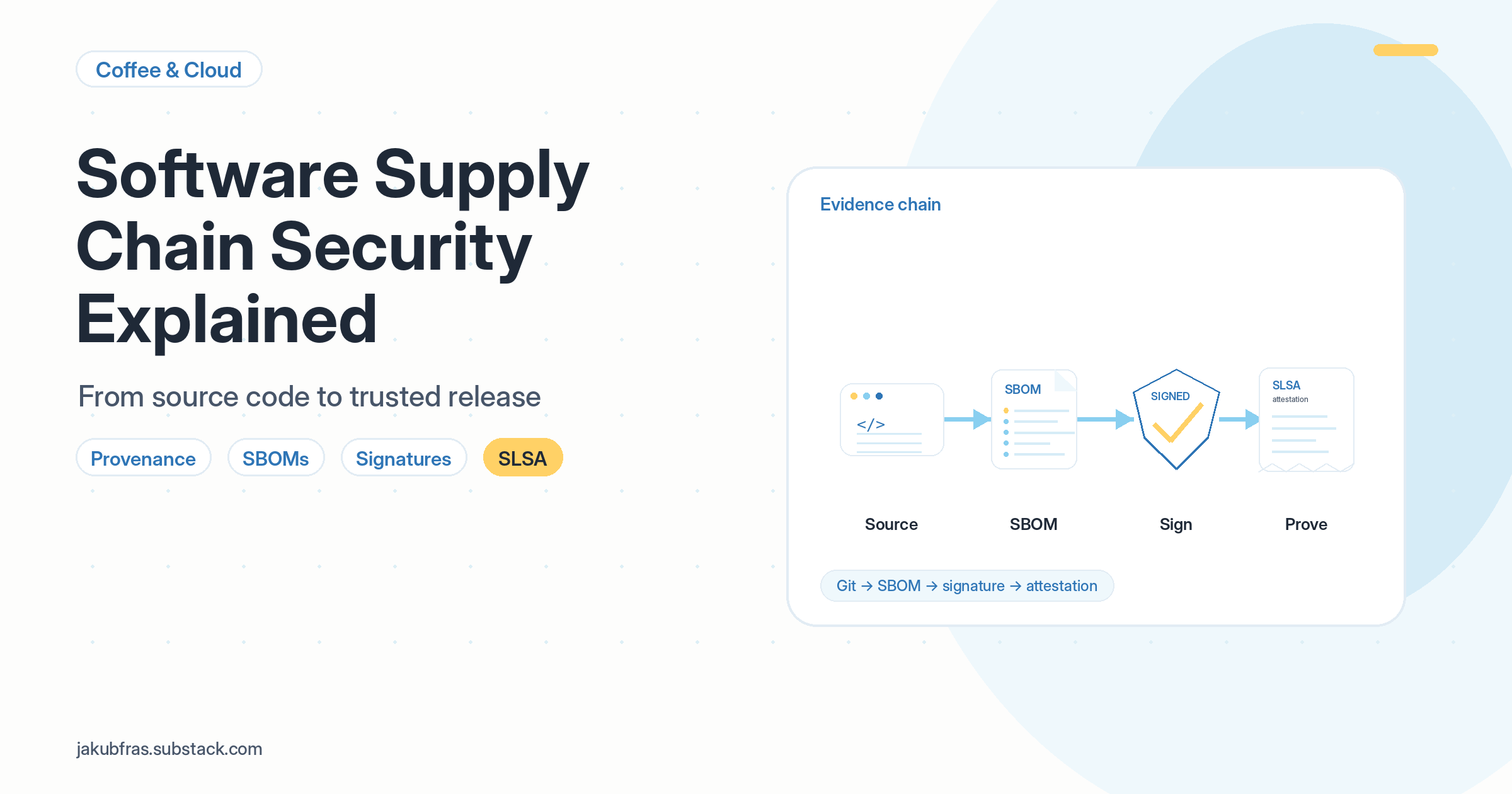
This is where the earlier pieces start connecting:
Git commit
        ↓
Build workflow
        ↓
Artifact digest
        ↓
SBOM
        ↓
Signature
        ↓
Attestation
Now we have source evidence, dependency evidence, artifact identity, signing, and build metadata.
The final question is how to mature and measure the process. That is where SLSA fits.
SLSA: a maturity model for trusted builds
SLSA stands for Supply-chain Levels for Software Artifacts. It is pronounced like “salsa”. SLSA is a framework for improving software supply chain integrity. The simplest explanation is:
SLSA helps prove that software was built from the right source, by the right build system, using a trusted process.
SLSA is different from an SBOM. An SBOM tells you what is inside the software. SLSA focuses on how the software was built and produces provenance, signed metadata about the build process. They are complementary, not competing. You can and should have both.
A simple way to remember this: SBOM = ingredients. SLSA = trusted factory process. Signature = tamper seal. Attestation = signed build receipt.
SLSA uses levels to describe build maturity. Think of it like this:
L0 = no real controls
L1 = create the build receipt
L2 = sign the build receipt
L3 = protect the factory creating the receipt
SLSA Build L0: no real controls
This might look like:
Developer builds locally
        ↓
Developer uploads artifact manually
There is little reliable evidence of how the artifact was created. Consumers have to trust the person and the process.
SLSA Build L1: provenance exists
At this level, the build produces provenance, a record showing how the artifact was built.
The SLSA v1.2 specification requires:
a consistent, repeatable build process so others can form expectations about what a correct build looks like
provenance describing the build platform, build process, and top-level inputs
provenance distributed to consumers
What this helps with: reduces mistakes, improves traceability, helps teams and organisations create an inventory of how software is being built. You now have a build receipt.
What it does not provide: tamper protection. Provenance at L1 may be unsigned and could potentially be forged. Higher levels address this.
Note: SLSA does not require SBOM generation at any level. SBOMs are good practice alongside a SLSA pipeline, but they are a separate concept. The SLSA specification is focused entirely on build provenance.
SLSA Build L2: signed provenance from a hosted build platform
At this level, provenance is generated and signed by a hosted build platform.
Additional requirements over L1:
builds run on dedicated hosted infrastructure, not a developer’s workstation
provenance is tied to that infrastructure through a digital signature
What this helps with: prevents tampering after the build. Consumers can verify the signature and confirm the provenance was not modified after it was generated. You now have a signed receipt.
Example controls that support this in practice:
hosted CI/CD builds the artifact (GitHub Actions, Azure DevOps, etc.)
provenance is signed
artifacts are signed with Cosign
branch protection is enabled
pull requests are required before merging
status checks must pass
SLSA Build L3: hardened build platform
At this level, the build environment itself is hardened against tampering during the build.
Additional requirements over L2:
build runs cannot influence one another, even within the same project
secret material used to sign the provenance is not accessible to the user-defined build steps
What this helps with: prevents tampering during the build, by insider threats, compromised credentials, or other tenants sharing the build platform. You now protect the factory itself.
Example controls that support this in practice:
isolated, ephemeral build runners destroyed after each job
least privilege permissions for CI jobs
short-lived OIDC credentials instead of long-lived secrets
signing keys inaccessible to build steps
audit logs and monitoring
builds cannot affect each other
Memory hook: L1 creates the receipt. L2 signs the receipt. L3 protects the factory.
Private keys and key rotation
One point worth being explicit about: signed commits and signed artifacts are only as trustworthy as the private key used to sign them.
Private keys are typically stored locally on the developer’s machine, SSH keys in ~/.ssh/, GPG keys in ~/.gnupg/, or on a hardware security key, which is stronger because the key cannot be easily copied. GitHub stores only the matching public key. The private key must stay with the developer.
If a private key is compromised, the response should be:
Remove or revoke the old public key from GitHub immediately
Generate a new key pair
Add the new public key to GitHub
Reconfigure Git to use the new signing key
Review recent commits, pull requests, releases, and tokens associated with the old key
If the developer’s laptop or account may also be compromised, rotate other credentials too
This is also why Cosign’s keyless signing approach, where an ephemeral key is generated per build and never stored, reduces this risk significantly in CI/CD contexts.
What the full trusted release flow looks like
Now the concepts connect into one flow. A practical GitHub Actions and Azure Container Registry example might look like this:
Each concept has a role:
Git proves the source.
Repo controls protect the path to main.
Status checks catch problems early.
SBOM proves the ingredients.
Tags name the release.
Hashes identify the source.
Digests identify the artifact.
Pinning locks trust in place.
Signatures prove the artifact was not changed.
Attestations explain how it was built.
SLSA improves and measures the build process.
This is the difference between saying:
“Here is an image. Trust me.”
And saying:
“Here is the image, the digest, the SBOM, the signature, and signed provenance showing how it was built.”
That is the real value.
What this does not solve
These controls are useful, but they are not magic.
An SBOM does not automatically make software secure. A signed commit does not prove the code is safe. A signature does not prove there are no vulnerabilities. SLSA does not prove the vendor is honest.
If a developer’s account and signing key are compromised, signed commits may still look valid. If a build platform is compromised at a level beyond what SLSA protects, the provenance itself may be untrustworthy.
That is why these controls need to be combined with:
MFA on developer accounts
least privilege
secure developer workstations
branch protection
code review
dependency scanning
secret scanning
runtime protection
monitoring
incident response
The goal is not to replace normal security controls. The goal is to add evidence and verification to the software release process so that trust becomes something you can check, not just something you assume.
Final mental model
Software supply chain security is about making trust verifiable.
A simple way to remember it is:
Source → Dependencies → Build → Artifact → Release → Verification
At each stage, we want evidence:
Source:       Git, commits, pull requests, reviews, signed commits
Dependencies: SBOMs (CycloneDX or SPDX)
Build:        CI/CD, SLSA provenance, status checks
Artifact:     digest, checksum
Release:      tag, signature (Cosign)
Verification: in-toto attestations, policy checks
In the next blog, I will turn this into a practical project by building an automated SBOM pipeline using GitHub Actions and Azure Container Registry.
Have blog ideas, want to engage on a topic, or explore collaboration? Let’s take it offline reach out on LinkedIn. I’d love to connect and continue the conversation!